Scaling Android Apps with Compose Modularization
A practical walkthrough of splitting a monolithic Compose app into app, core, and feature Gradle modules — without the circular-dependency trap.
- #android
- #kotlin
- #jetpack-compose
- #gradle
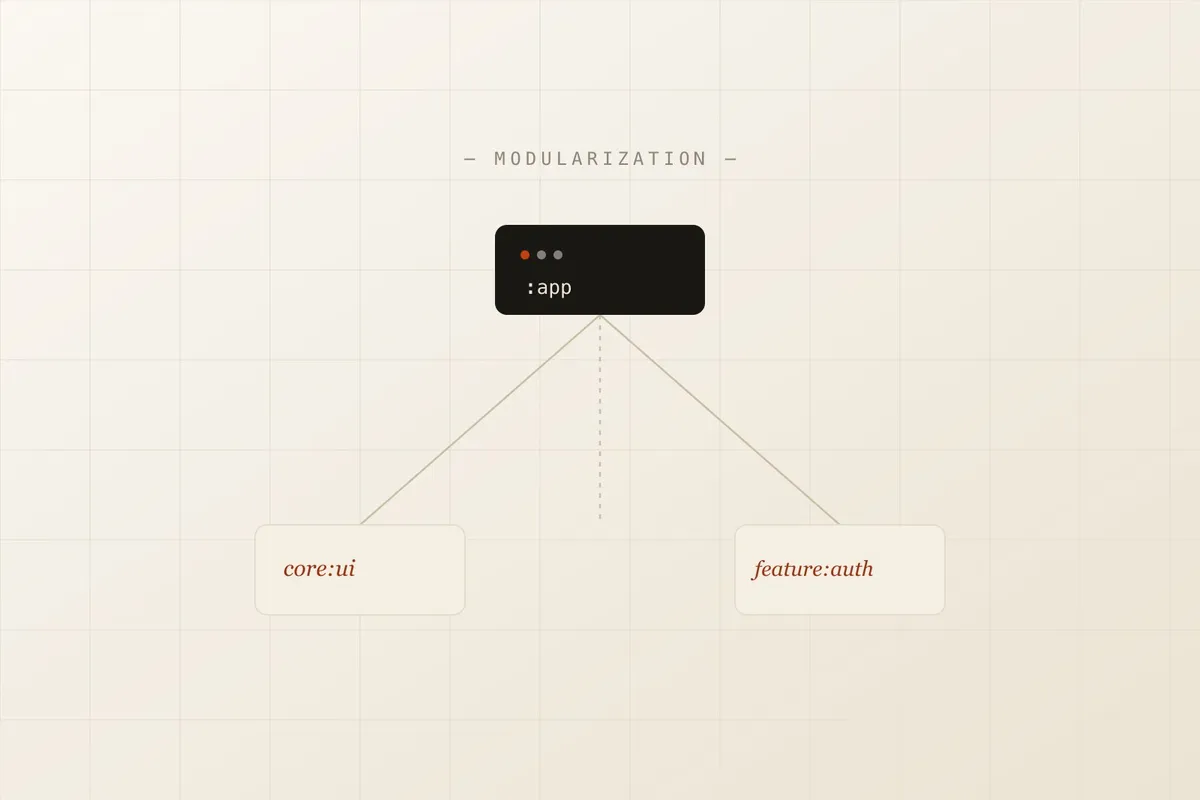
Somewhere around fifty screens, every Compose app hits the same wall: a single :app module that takes four minutes to incrementally build, a MainActivity.kt that has become the de facto router for the entire product, and a git history where three teams keep colliding in the same navigation file. Modularization is the fix — but done carelessly, it just relocates the mess into a dependency graph that’s harder to see.
This is a tour of how to split a Compose app into app, core:*, and feature:* Gradle modules, with the actual mechanics: the directory layout, the dependency declarations, the extraction steps, and the navigation refactor that makes it worth doing.
Why modules, not just packages
A Kotlin package gives you namespacing. A Gradle module gives you a compilation boundary — the compiler enforces that feature:auth cannot reach into feature:checkout’s internals, because it’s a separate artifact with its own api/implementation surface. That boundary is what actually stops the “just import it, it’s right there” shortcut that turns a codebase into a ball of mud.
The target structure
A minimal three-tier split looks like this: a thin app module that owns the Application class and the nav host, a core:ui module for shared design-system composables, and one feature:* module per user-facing flow.
Directory
- app/
- src/main/kotlin/com/example/app/
App.kt— Application class, DI graph rootMainActivity.kt— hosts the NavHost onlyAppNavGraph.kt— top-level nav graph, wires feature graphs together
build.gradle.kts
- src/main/kotlin/com/example/app/
- core:ui/
- src/main/kotlin/com/example/core/ui/
theme/— Color.kt, Type.kt, Theme.ktcomponents/— Button.kt, Card.kt, LoadingSpinner.kt
build.gradle.kts
- src/main/kotlin/com/example/core/ui/
- feature:auth/
- src/main/kotlin/com/example/feature/auth/
AuthNavGraph.kt— this feature’s slice of the nav graphLoginScreen.ktLoginViewModel.kt
build.gradle.kts
- src/main/kotlin/com/example/feature/auth/
settings.gradle.ktslibs.versions.toml
core:ui has no idea feature:auth exists. feature:auth depends on core:ui for its buttons and theme, and exposes its own AuthNavGraph composable for app to mount — nothing reaches back up.
Declaring the dependency
Every module’s build.gradle.kts needs feature:auth to depend on core:ui, core:designsystem-style modules, and the Compose BOM. Two idiomatic ways to write that dependency block exist side by side in most real projects today — pick the tab that matches what you have.
// feature/auth/build.gradle.kts
plugins {
    id("com.android.library")
    id("org.jetbrains.kotlin.android")
    id("org.jetbrains.kotlin.plugin.compose")
}

dependencies {
    implementation(project(":core:ui"))
    implementation(project(":core:navigation"))

    implementation(platform("androidx.compose:compose-bom:2026.06.00"))
    implementation("androidx.compose.material3:material3")
    implementation("androidx.lifecycle:lifecycle-viewmodel-compose:2.9.0")

    implementation("io.coil-kt:coil-compose:2.7.0")
}
# gradle/libs.versions.toml
[versions]
composeBom = "2026.06.00"
lifecycle = "2.9.0"
coil = "2.7.0"
[libraries]
compose-bom = { module = "androidx.compose:compose-bom", version.ref = "composeBom" }
compose-material3 = { module = "androidx.compose.material3:material3" }
lifecycle-vm-compose = { module = "androidx.lifecycle:lifecycle-viewmodel-compose", version.ref = "lifecycle" }
coil-compose = { module = "io.coil-kt:coil-compose", version.ref = "coil" }// feature/auth/build.gradle.kts
dependencies {
implementation(project(":core:ui"))
implementation(project(":core:navigation"))
implementation(platform(libs.compose.bom))
implementation(libs.compose.material3)
implementation(libs.lifecycle.vm.compose)
implementation(libs.coil.compose)
}The version catalog costs a bit of setup, but it’s the only one of the two that stops feature:auth and feature:checkout from silently drifting onto different Compose BOM versions — which is its own source of hard-to-diagnose runtime crashes.
Extracting a feature module, step by step
Here’s the actual sequence for pulling an existing screen — say, login — out of :app and into its own feature:auth module.
-
Create the module skeleton. Add
include(":feature:auth")tosettings.gradle.kts, then createfeature/auth/build.gradle.ktswith the Android library + Compose plugins applied. -
Move the source files. Relocate
LoginScreen.kt,LoginViewModel.kt, and any auth-only composables fromapp/src/.../ui/login/intofeature/auth/src/.../feature/auth/. Update the package declaration at the top of each file to match the new module. -
Fix the now-broken imports. The compiler will point at every place
appstill reaches for something login-specific. For UI primitives (buttons, spacing, colors), redirect the import tocore:uiinstead of leaving a reverse dependency onapp. -
Add the module dependency. In
app/build.gradle.kts, addimplementation(project(":feature:auth")). Infeature/auth/build.gradle.kts, addimplementation(project(":core:ui")). -
Expose one entry point. Give the feature module exactly one public composable —
AuthNavGraph(navController: NavController)— and markLoginViewModel,LoginScreen, and everything elseinternal. This is what actually enforces the boundary; without it, nothing stopsappfrom reaching past the graph and back into feature internals later. -
Wire it into the top-level graph. In
app’sAppNavGraph.kt, callAuthNavGraph(navController)inside the rootNavHost. Build. The circular-dependency error, if you get one, means step 3 missed a reverse import — go back and find it before moving on.
The navigation refactor that makes this worth it
The clearest before/after is MainActivity.kt itself. In the monolith, it’s not unusual to find every screen’s navigation logic bolted directly onto the activity. After extraction, MainActivity does one thing — host a graph that’s assembled from feature modules it doesn’t need to understand.
MainActivity.kt — before
class MainActivity : ComponentActivity() {
    override fun onCreate(savedInstanceState: Bundle?) {
        super.onCreate(savedInstanceState)
        setContent {
            AppTheme {
                val navController = rememberNavController()
                NavHost(navController, startDestination = "login") {
                    composable("login") {
                        LoginScreen(onLoginSuccess = {
                            navController.navigate("home")
                        })
                    }
                    composable("home") { HomeScreen(navController) }
                    composable("profile/{userId}") { backStackEntry ->
                        val userId = backStackEntry.arguments?.getString("userId")
                        ProfileScreen(userId, navController)
                    }
                    composable("checkout") { CheckoutScreen(navController) }
                    // ...nine more screens, all owned by :app
                }
            }
        }
    }
}
AppNavGraph.kt — after
class MainActivity : ComponentActivity() {
    override fun onCreate(savedInstanceState: Bundle?) {
        super.onCreate(savedInstanceState)
        setContent {
            AppTheme {
                val navController = rememberNavController()
                NavHost(navController, startDestination = AuthRoute.Login.path) {
                    authNavGraph(navController)
                    homeNavGraph(navController)
                    profileNavGraph(navController)
                    checkoutNavGraph(navController)
                }
            }
        }
    }
}

// feature/auth/AuthNavGraph.kt
fun NavGraphBuilder.authNavGraph(navController: NavController) {
    composable(AuthRoute.Login.path) {
        LoginScreen(onLoginSuccess = { navController.navigate(HomeRoute.path) })
    }
}
MainActivity no longer knows that a login screen exists. It just composes graphs together — each feature:* module owns its own routes, its own ViewModels, and its own internals.
Verifying the split
After wiring a new module in, do a clean build once to make sure Gradle’s configuration cache and the module graph actually agree with each other — an incremental build can hide a misconfigured dependency for a while. In Android Studio, Shift + F10 triggers a full build-and-run on your default device, which is the fastest way to catch a missing implementation(project(...)) line before it becomes a CI failure.
From the command line — the same check CI runs — it’s a single scoped Gradle task, so you’re only rebuilding the module you touched:
./gradlew :feature:auth:assembleDebug --dry-runDo I need a core:network or core:data module too?
Usually, yes, once more than one feature needs the same repository or API client. The same rule applies: core:data should never depend on a feature:* module. If a repository needs feature-specific logic, that logic belongs behind an interface defined in core:data and implemented inside the feature module instead — dependency inversion, not a shortcut back up the graph.
Should feature modules depend on each other directly?
Avoid it if at all possible. If feature:checkout needs something from feature:auth — say, the current user ID — that value should be exposed through a shared core interface (a session/auth-state provider) that both modules depend on, rather than feature:checkout depending on feature:auth directly. Direct feature-to-feature dependencies are exactly how the circular-dependency trap from earlier gets built, one convenient import at a time.
The module graph is the actual architecture. Everything in the design doc is just a description of what this file already enforces.
A realistic migration roadmap
Modularizing a live app isn’t a weekend project — it’s usually done feature-by-feature, alongside normal shipping.
- Phase 0 — Foundation. Extract
core:ui(theme + shared composables) andcore:navigation(route contracts). No feature logic moves yet; this just proves the module wiring and the version catalog work. - Phase 1 — Low-risk feature. Pick a self-contained, low-traffic screen (a settings or about page) as the first
feature:*extraction. It should have almost no cross-feature dependencies, so it’s a clean rehearsal of the six-step process above. - Phase 2 — Core flows. Extract
feature:authandfeature:home. This is where the circular-dependency callout above tends to bite for the first time — expect to introduce acore:sessionmodule here. - Phase 3 — Steady state. Every new screen ships as its own feature module from day one, and
appshrinks to just the nav host, DI graph, and Application class.
Further reading
The official Android Developers guide to modularization patterns, module types, and dependency guidelines.
Google’s fully open-source, production-shaped sample app — a real multi-module Compose codebase to read end to end.
The Gradle userguide chapter this article’s libs.versions.toml examples are based on.
Background on NavGraphBuilder and nested graphs, which is what makes the AppNavGraph split in the diff above possible.